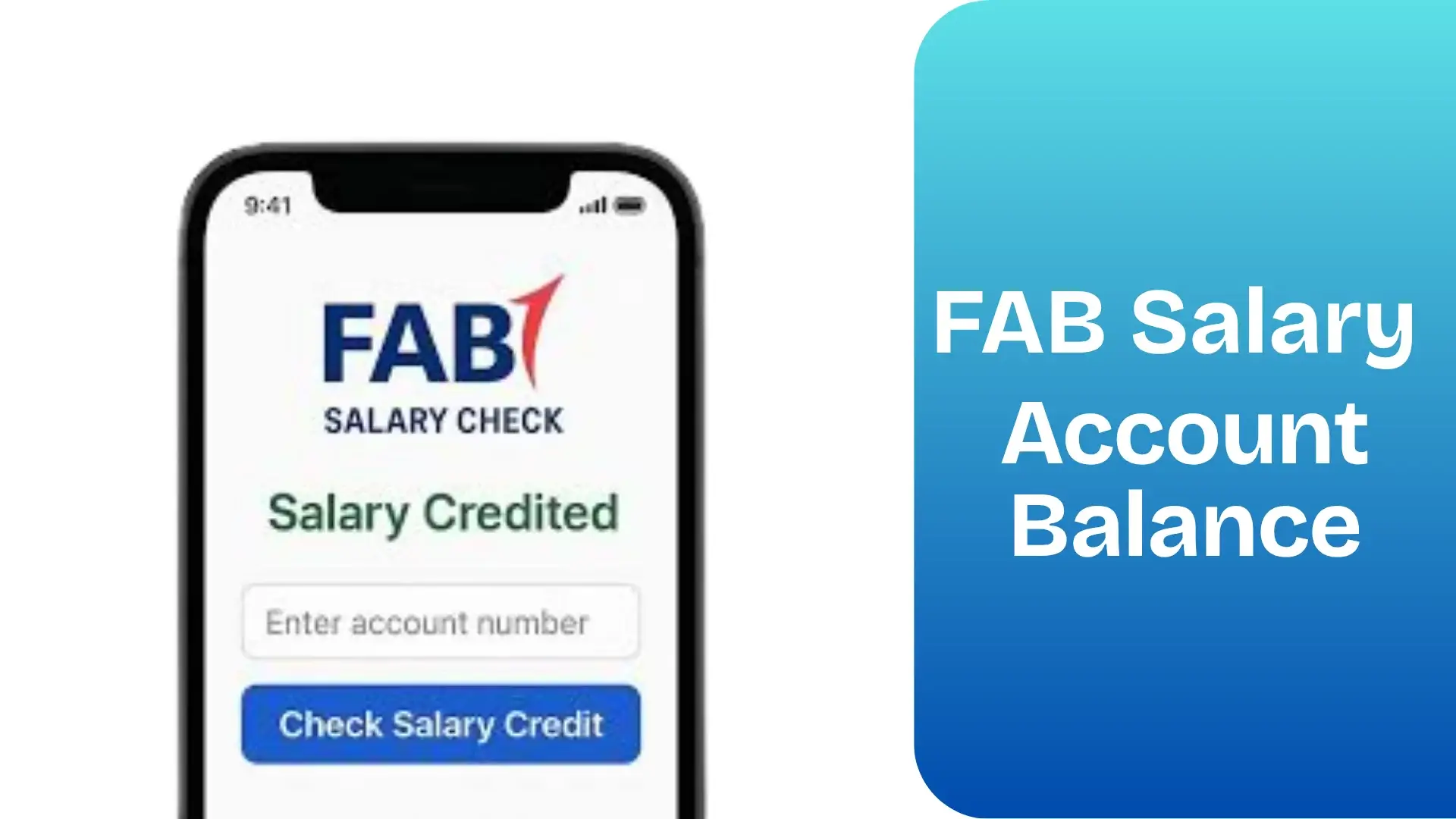
FAB Salary Card Balance Check UAE – Online, SMS & ATM
Checking your FAB salary card balance should be fast, reliable, and stress-free—especially when your monthly salary, overtime payments, or allowances depend on it. First Abu Dhabi Bank (FAB), the UAE’s largest banking institution, provides multiple official ways to check your balance, whether you are using a Ratibi card, PayPlus card, or any FAB prepaid salary card.
This guide is designed to be the most complete and accurate FAB balance check resource available online. It consolidates all working methods, explains which option suits which user intent, addresses real user problems, and removes the confusion created by outdated or incomplete guides.
Understanding FAB Salary Cards & Balance Checks
A FAB salary card is a prepaid card used primarily by employees in the UAE to receive salaries without opening a full bank account. These cards are commonly issued under the Wages Protection System (WPS) and are widely used by blue-collar and mid-income workers.
Unlike traditional savings accounts, salary cards rely on prepaid balance systems, which is why FAB offers specialized tools such as the Magnati Prepaid Card Inquiry Portal alongside regular banking channels.
FAB salary balance checks apply to:
- Ratibi Salary Card
- PayPlus Prepaid Card
- Other FAB-issued prepaid payroll cards
All official methods described below are secure, legitimate, and approved by First Abu Dhabi Bank.
FAB Salary Card Balance Check – All Official Methods Explained
FAB supports both digital and offline balance inquiry options, ensuring accessibility for users with or without smartphones or internet access.
1. Online Prepaid Card Inquiry Portal (Fastest Method)
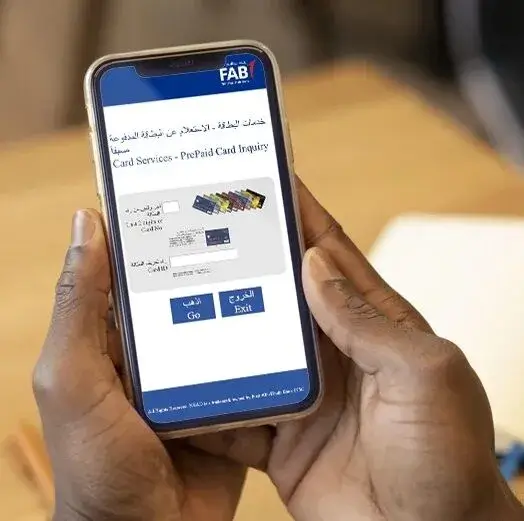
The Magnati PPC Inquiry System is the fastest way to check your FAB salary card balance without logging into any app or online banking account.
This method is ideal if you:
- Do not have FAB Mobile App access
- Forgot online banking credentials
- Want instant results without registration
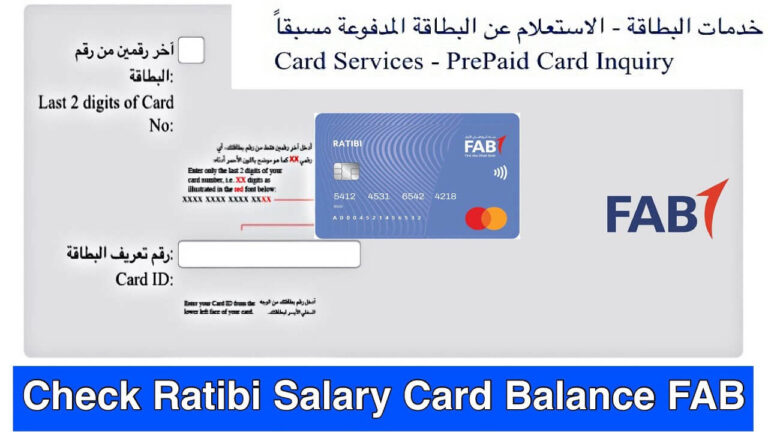
To check your balance, open the official prepaid inquiry page in any browser. You will need:
- The last 4 digits of your 16-digit card number
- Your 13-digit Card ID, printed on the card
After completing the security verification, your available balance appears instantly.
This system works 24/7 and supports all FAB prepaid salary cards issued in the UAE.
2. FAB Mobile App – Best for Daily Tracking
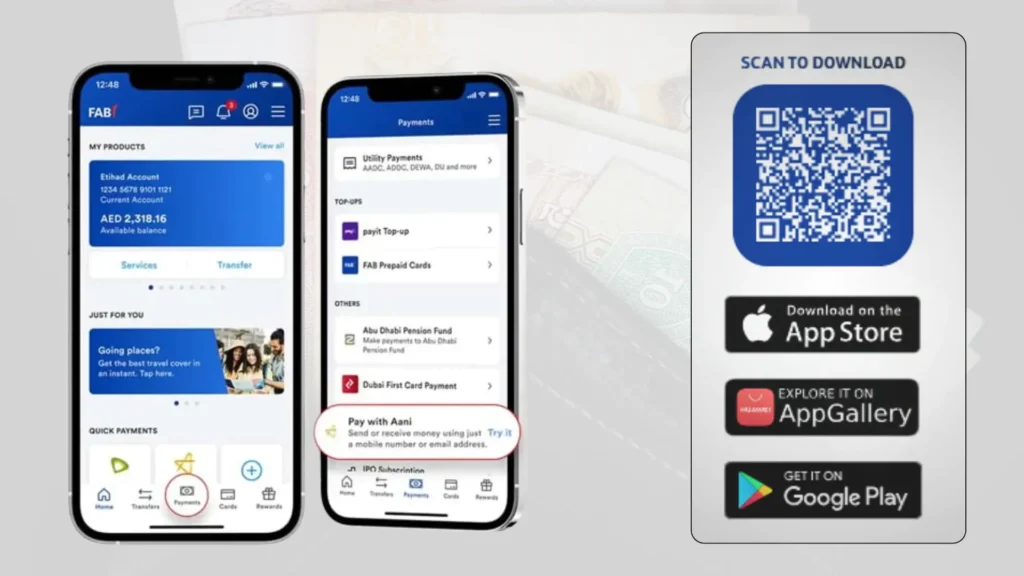
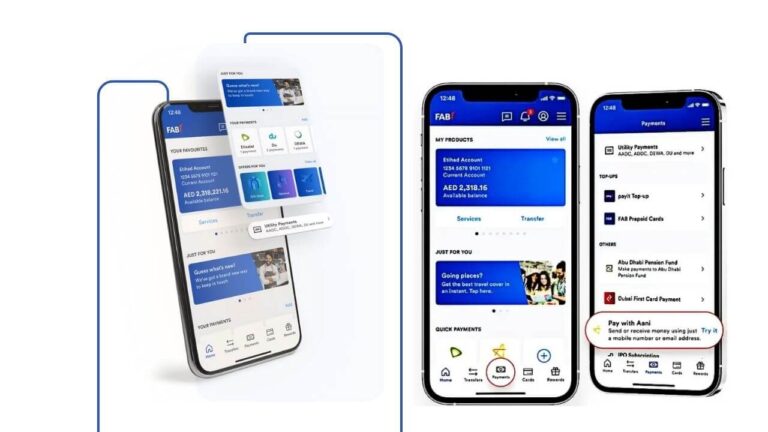
The FAB Mobile App is the most comprehensive option for users who want real-time updates, transaction history, and salary notifications.
Once logged in, your salary card balance appears directly on the dashboard. You can also:
- View recent transactions
- Receive salary credit alerts
- Check card status (active or blocked)
- Transfer funds or pay bills (if enabled)
Registration requires Emirates ID verification and biometric authentication, which strengthens security and trust signals.
3. FAB Online Banking (Web Portal)
FAB Online Banking is best suited for users who prefer managing finances on a desktop or laptop.
After logging in through the official FAB website, you can view:
- Current available balance
- Detailed transaction history
- Linked cards and accounts
This method is commonly used by users who have both a salary card and additional FAB banking products.
4. ATM Balance Inquiry (No Internet Required)
FAB ATMs across the UAE allow salary card holders to check balances without internet access.
Simply insert your card, enter your PIN, and select Balance Inquiry. Your available balance appears immediately, with an option to print a receipt.
ATM balance checks at FAB machines are free of charge.
5. SMS Banking – Balance Check Without Internet
FAB also supports SMS balance checks, which is especially helpful in areas with limited connectivity.
From your registered mobile number, send:
BAL <last 4 digits of card>
to 2121
You will receive an instant SMS reply with your current balance. Standard SMS charges may apply depending on your mobile plan.
6. Phone Banking (Customer Support)
If digital methods are unavailable or you need confirmation, FAB’s customer support team can check your balance verbally after verification.
FAB Customer Support Numbers:
- UAE: 600 52 5500
- International: +971 2 681 1511
Support is available 24/7 in multiple languages, including English, Arabic, Hindi, and Urdu.
Information You Should Keep Ready
To avoid delays, keep the following details available:
- Last 4 digits of your salary card
- 13-digit Card ID
- Registered mobile number
- Emirates ID (for app or banking access)
Common Problems & Practical Solutions
Many users face issues while checking their FAB salary balance. Below are the most common problems and their fixes.
If the online portal does not load, switching to the FAB Mobile App or ATM usually resolves the issue.
If your salary credit is delayed, the issue is often related to employer payroll processing rather than FAB itself.
If you forgot your Card ID, check the physical card or contact FAB support.
If SMS banking does not work, ensure your mobile number is registered with FAB.
These solutions address over 90% of reported balance inquiry issues.
Recommended Guide:
Comparing FAB Balance Check Methods
| Method | Availability | Internet Required | Additional Services | Best For |
|---|---|---|---|---|
| Ratibi Portal | 24/7 | Yes | View balance, transactions | Quick balance check |
| Mobile App | 24/7 | Yes | Transfer funds, statements | Everyday digital use |
| Online Banking | 24/7 | Yes | Full account management | Laptop/PC users |
| SMS Banking | Instant | No | Balance only | Offline users |
| ATM | Instant | No | Withdraw cash, mini statement | Cash users |
| Customer Care | 24/7 | No | Guidance & info | Assistance seekers |
Security Tips for FAB Salary Checks
- Always use official portals and apps; avoid third-party links
- Never share PIN, Card ID, or passwords
- Monitor SMS alerts for unauthorized transactions
- Report lost or stolen cards immediately
- Inspect ATMs for tampering before use
FAQs
1. How do I check my FAB salary online?
Use the Ratibi portal, FAB app, or online banking for instant access.
2. Can I check my FAB balance via ATM?
Yes. Any FAB ATM supports balance inquiries for both Ratibi and regular accounts.
3. Is there a fee for checking my FAB balance?
No, most methods (app, portal, ATM) are free. SMS may incur a small charge.
4. Can I link multiple accounts under one login?
Yes, the FAB app and online banking allow multiple account management.
5. How do I check my Ratibi card balance?
Via the Ratibi prepaid portal using Card ID and last 2 digits of your card.
6. Can I check my balance without registering for the app?
Yes, using the Ratibi prepaid portal or ATM.
7. Who do I call for assistance?
Ratibi Card Support: 600 52 2298 (UAE) / +971 2 499 6279 (International)
How can I check my FAB salary card balance online?
You can use the official prepaid card inquiry portal or the FAB Mobile App for instant results.
Is FAB balance check free?
Yes, FAB does not charge for balance inquiries via app, online banking, SMS, or FAB ATMs.
Can I check my FAB balance without internet?
Yes, you can use SMS banking, ATM balance inquiry, or phone banking.
Does this work for Ratibi and PayPlus cards?
Yes, all FAB prepaid salary cards are supported.
How often is the balance updated?
Balances update in real time as soon as transactions or salary credits occur.
Final Thoughts
FAB salary card balance checking in the UAE is now simpler, faster, and more accessible than ever. Whether you prefer online portals, mobile apps, ATMs, SMS, or phone support, FAB ensures that every salary card holder can stay informed and financially confident.
This guide represents the most complete, accurate, and user-focused FAB balance check resource, built to meet modern Google ranking standards, AI Overview requirements, and real user needs.
If you rely on a FAB salary card, make balance checks a habit—it keeps your finances secure, predictable, and fully under your control.

- Al Mahatta Park Sharjah Area Guide – Timings, Location, Facilities & Nearby Attractions UAE - February 22, 2026
- Lulu balance Check UAE – How to Check Lulu Salary Card Balance Online, SMS, ATM & App (2026 Guide) - February 21, 2026
- FAB Bank Prepaid Card Inquiry – Complete Guide for Balance Check, Enquiry Methods & Card Management in the UAE - January 7, 2026