192.168.70.1 Du Router Login – How to Access It in the UAE
Home internet in the UAE has become mission-critical—whether you are running a remote office in Dubai Marina, managing smart home devices in JVC, or simply trying to stabilize Wi-Fi speeds in a family apartment. Yet thousands of du customers still get stuck at the same point: opening the router admin page using 192.168.70.1.
If you are seeing errors, browser warnings, or accidentally typing 192.168.l.70.1, you are not alone. This guide explains exactly what 192.168.70.1 is, when du routers use it, how to log in correctly, and what to do when it does not work—with UAE-specific clarity and real-world troubleshooting.
This article is written for du home users, small offices, and power users across Dubai and the wider UAE who want control over their Wi-Fi, not guesswork.
What Is 192.168.70.1?
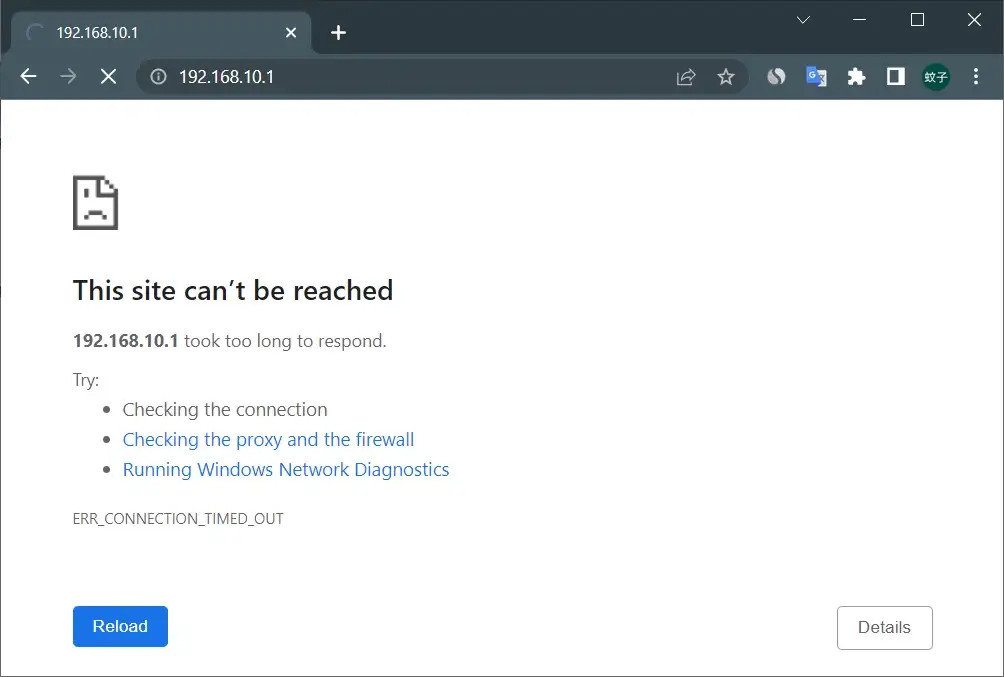
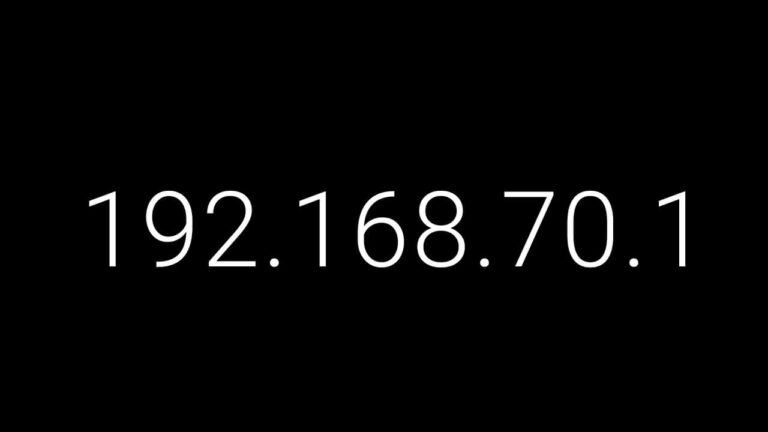
192.168.70.1 is a private IPv4 address used as a local router gateway on certain du-supplied routers and firmware builds.
It is important to understand what it is—and what it is not.
192.168.70.1 is not a website, not publicly accessible, and not reachable from mobile data or outside your home or office network. It only works when your device is connected directly to the router via Wi-Fi or Ethernet.
In networking terms, it belongs to the RFC 1918 private IP range, which means:
- It exists only inside your local area network (LAN)
- It is used to access router settings such as Wi-Fi name, password, security mode, and connected devices
- It cannot be indexed by Google or accessed remotely
In the UAE, du uses multiple default gateways depending on router model, firmware, and service type (4G, 5G, fiber-backed wireless).
Why 192.168.l.70.1 Does Not Work (Common UAE Typing Error)
One of the most frequent issues du users face is mistyping the IP address as:
This fails for three technical reasons:
First, IP addresses contain only numbers, never letters. The lowercase “l” is often mistaken for the number “1”.
Second, many du routers do not enforce HTTPS, meaning SSL connections may trigger warnings or fail to load entirely.
Third, users often paste the IP into a search box instead of the browser’s address bar, which redirects to Google instead of the router.
The correct format—typed directly into the address bar—is:
If your router supports SSL, https://192.168.70.1 may also work, but a self-signed certificate warning is normal on local admin pages.
Which Du Routers Use 192.168.70.1?
Not all du routers use the same gateway. This is where many guides oversimplify the topic.
Du Router Gateways in the UAE (Real-World Overview)
- ZLT X21 (Du Home Wireless 5G)
Often uses 192.168.70.1 or 192.168.8.1, depending on firmware - D-Link DWR-M960 (4G LTE)
Typically uses 192.168.0.1 - Nokia FastMile 5G Gateway
Commonly uses 192.168.1.1
The authoritative source is always:
- The sticker on the router
- Or the Default Gateway shown on your connected device
How to Access the Du Router Login Page (Step-by-Step)
Before starting, ensure you are connected to the du router’s Wi-Fi or LAN cable.
Standard Login Method (192.168.70.1)
- Open Chrome, Edge, Firefox, or Safari
- In the address bar, type:
http://192.168.70.1 - Press Enter
- When prompted, enter the username and password printed on the router label
- You will be redirected to the router’s admin dashboard
From here, you can manage:
- Wi-Fi name (SSID)
- Wi-Fi password
- Dual-band settings (2.4GHz / 5GHz)
- Connected devices
- Security options
Default Username and Password for Du Routers
Du does not use one universal login across all devices. The following combinations are commonly used, but always verify your router sticker first.
| Username | Password | Notes |
|---|---|---|
| admin | admin | Common default |
| user | Printed on router | Newer du models |
| admin | password | Older firmware |
| admin | (blank) | Leave password empty |
| admin | 1234 | Legacy configurations |
If credentials were changed previously and forgotten, a factory reset is required.
How to Change Wi-Fi Name and Password on a Du Router
Once logged in, navigate to the Wi-Fi or Wireless Settings section.
Most du routers separate:
- 2.4GHz (longer range, slower)
- 5GHz (shorter range, faster)
Update both for consistency.
Choose:
- A neutral SSID (avoid apartment number or personal names)
- A strong password with letters, numbers, and symbols
Select WPA2-PSK or WPA3, if available. Avoid WEP entirely—it is obsolete.
After saving changes, your devices will disconnect briefly and reconnect using the new credentials.
If 192.168.70.1 Does Not Open: Find Your Real Gateway
Many users assume the wrong gateway. Here is how to confirm the correct one.
Windows
Open Command Prompt and run:
ipconfig
Look for Default Gateway
macOS
System Settings → Network → Active Connection → Router
Android
Wi-Fi → Connected Network → Advanced → Gateway
iPhone / iPad
Settings → Wi-Fi → (i) → Router
If you see 192.168.8.1 or 192.168.1.1, use that instead.
Troubleshooting Du Router Login Issues (That Actually Work)
If the page still does not load:
- Disable VPNs, proxies, or corporate security tools
- Use Ethernet instead of Wi-Fi
- Restart the router for 10–15 seconds
- Try a different browser or private window
- Ensure DHCP is enabled (automatic IP assignment)
- Flush DNS on Windows using
ipconfig /flushdns
Some du-branded firmware restricts advanced settings, pushing users toward the du app. This is normal and package-dependent.
How to Reset a Du Router (Last Resort)
If locked out completely:
- Keep the router powered on
- Press and hold the Reset pinhole for 10–15 seconds
- Wait for reboot
- Reconnect using default Wi-Fi credentials
- Log in and reconfigure securely
Always back up your settings if the router allows it.
Why This Matters for UAE Internet Users
In dense Dubai neighborhoods—Business Bay, Deira, JLT—Wi-Fi interference is common. Accessing your router admin page allows you to:
- Change congested channels
- Secure your network
- Improve speed and stability
- Monitor connected devices
Understanding 192.168.70.1 du router login is not technical trivia—it is practical digital literacy for modern UAE living.
FAQs
Is 192.168.70.1 safe to use?
Yes. It is a private LAN address accessible only within your network.
Do all du routers use 192.168.70.1?
No. du uses multiple gateways depending on router model and firmware.
Why does HTTPS show a warning?
Local routers use self-signed certificates. This is normal.
Can I access du router settings from mobile data?
No. You must be connected to the router locally.
What if the sticker shows a different IP?
Always trust the device’s Default Gateway, not memory or assumptions.
Final Editorial Note
This guide reflects real du router behavior in the UAE, not recycled global networking advice. Bookmark it, share it, and return when you need control over your connection—not confusion.

- Should You Quit Your Job for a Doctorate in Business Administration Program? - March 12, 2026
- What Dubai Expats Need to Know When Replacing a Car Battery - February 23, 2026
- Fatima Building Al Baraha – Location, Rent, Transport & Living Insights UAE - February 14, 2026