Al Ahalia Exchange Salary Check in UAE (Complete 2026 Guide)
Checking your salary on time is not just a convenience in the UAE—it is a necessity for financial planning, rent payments, remittances, and daily expenses. If your employer processes payroll through Al Ahalia Exchange, you may be wondering how to confirm whether your salary has been credited, how to check your balance, or what to do if payment is delayed.
This Al Ahalia Exchange Salary Check guide provides the most complete, up-to-date, and user-centric explanation available online. It explains all official methods, clarifies common confusion around apps and online portals, and aligns fully with the UAE Wage Protection System (WPS).
How Al Ahalia Exchange Salary System Works
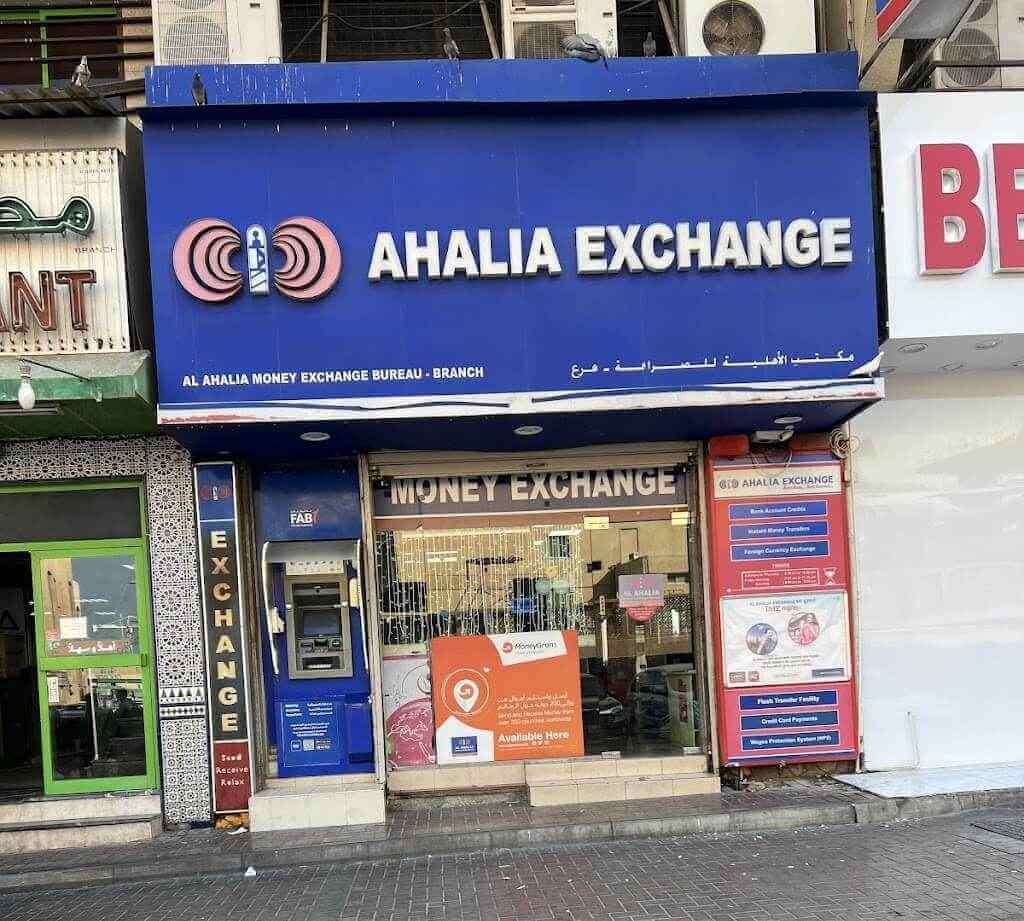
Al Ahalia Exchange is a licensed money exchange house operating mainly across Abu Dhabi, Dubai, and other UAE emirates, offering WPS-compliant payroll solutions to companies.
Instead of transferring salaries directly to a bank account, many employers use salary cards (prepaid payroll cards) issued under Ahalia Payment Systems (APS).
Key Entities Involved
- Al Ahalia Exchange
- Ahalia Payment Systems (APS)
- UAE Wages Protection System (WPS)
- MOHRE (Ministry of Human Resources & Emiratisation)
- Salary cards (Visa / Mastercard enabled)
Important clarification: There is no standalone “Al Ahalia Exchange online salary check portal.” Salary verification happens through cards, approved apps, ATMs, customer support, or MOHRE systems.
Step-by-Step: How to Check Al Ahalia Exchange Salary
1. Check Salary via C3 App (Most Convenient Method)
If your salary card is C3-branded, this is the fastest digital option.
Steps:
- Download the C3 App from the Google Play Store or the Apple App Store
- Register or log in using your card details
- Open the dashboard to view:
- Available balance
- Salary credit history
- Recent transactions
Why this works best:
- Real-time balance updates
- No ATM visit required
- Salary credit notifications
2. Al Ahalia Exchange Salary Check via ATM (24/7)
You can check your salary balance at any ATM that supports Visa or Mastercard.
Steps:
- Insert your Al Ahalia salary card
- Enter your PIN
- Select “Balance Inquiry”
- View balance on screen (optional receipt)
Best for:
Employees without smartphones or app access.
3. Salary Check by Calling Al Ahalia Customer Support
If you face technical issues or need confirmation from a human agent:
Customer Support Numbers (UAE):
- 600 546 645
- +971 4 259 3898
- 04 330 6303
Process:
- Call the helpline
- Verify your identity (card or Emirates ID details)
- Receive balance confirmation securely
4. Check Salary Status via MOHRE (Official UAE Method)
Even if your company does not clearly inform you, MOHRE allows salary verification under WPS.
Steps:
- Visit the UAE government portal (MOHRE / gov.ae)
- Enter:
- Emirates ID
- Date of birth
- View:
- Salary payment status
- Employer submission details
- Payment date
This works regardless of the exchange house, as long as your employer is WPS-registered.
Common Problems & Practical Solutions
Salary Not Credited Yet
Possible reasons:
- Employer delay in WPS file submission
- Bank or system processing time
- Public holidays
Solution:
Check MOHRE first → then contact your employer → then call Al Ahalia support.
No App Available for My Card
Not all cards support C3 or S’hail apps.
Solution:
Use ATM balance inquiry or customer support confirmation.
Forgot ATM PIN
Solution:
Visit the nearest Al Ahalia Exchange branch with Emirates ID to reset your PIN securely.
Expert Tips & Best Practices (UAE Payroll)
- Always check salary within 24–48 hours of expected payment date
- Keep your salary card active (inactive cards may block credits)
- Never share card details or PIN on WhatsApp or SMS
- Use MOHRE salary check if your employer avoids transparency
Key Benefits of Al Ahalia Exchange Salary Cards
- WPS-compliant and government-approved
- No bank account required
- ATM access across UAE
- Secure payroll disbursement
- Suitable for expatriate workers
FAQs
Is there an Al Ahalia Exchange online salary check website?
No. Al Ahalia does not offer a direct online portal. Salary checks are done via apps, ATMs, customer support, or MOHRE.
Can I check my Al Ahalia salary by SMS?
No official SMS balance service is available.
Do I need a bank account for an Al Ahalia salary card?
No. It is a prepaid payroll card.
How long does salary transfer take?
Usually same day or within 24 hours after employer submits WPS payroll.
Can I use my Al Ahalia salary card outside UAE?
Yes, at international ATMs, subject to card network rules and fees.
Conclusion
The Al Ahalia Exchange Salary Check process is simple once you understand how the system works. While there is no single online portal, employees have multiple reliable options—including the C3 app, ATM balance inquiry, customer support, and MOHRE verification.
If you want maximum control over your finances in the UAE, always track your salary through official WPS-compliant channels and keep your card information secure.
This guide is designed to be the most complete, accurate, and user-friendly resource available, fully aligned with Google Helpful Content guidelines and AI-driven search experiences.

- How Al Maktoum International Airport Will Become the Biggest Airport in the World: Complete 2026 Guide - July 27, 2026
- Al Mahatta Park Sharjah Area Guide 2026: Location, History, Timings & Things to Do - July 20, 2026
- UAE to India Travel Rules 2026: Air Suvidha, e-Arrival Card, and Gold Limits Explained - July 15, 2026