Lulu Balance Check UAE: Salary Card Balance Guide 2027
Payday arrives, your phone buzzes, and one question follows: did the salary actually land on my card? Across the UAE, thousands of workers ask that every month. The answer should take about ten seconds. It often doesn’t, because the name “Lulu” covers several different cards, and each one is checked in a slightly different way. This guide sorts that out. You’ll learn how to do a Lulu balance check on your phone, at an ATM or online. You’ll also learn how to tell which card you hold, and what to do if the money isn’t there.
If you hold a LuLu Money Salary Card, open the LuLu Money app and tap your card to see your balance. For any Lulu Exchange salary card, you can also use a UAE Switch ATM or the official balance portal. Always confirm the exact portal or helpline printed on your card or inside the app.
What does “Lulu balance check” actually mean?
People use the phrase for three different things:
- Lulu salary card balance check is for WPS payroll cards issued through LuLu International Exchange. This is what most UAE workers need, and it’s the focus of this guide.
- Lulu gift card or rewards balance belongs to the Lulu Hypermarket shopping ecosystem and has nothing to do with salary.
- Lulu credit card enquiries relate to bank-issued cards such as the Emirates NBD Lulu credit cards, which you check through the bank.
If you receive wages from your employer, you’re in the first group.
Understand your card before you check the balance
LuLu International Exchange is one of the UAE’s largest exchange houses and handles payroll for a large number of companies under the Wage Protection System (WPS). It doesn’t issue just one card. Depending on your employer, you may hold one of these:
- LuLu Money Salary Card. This is a digital-first WPS payroll card launched with the payment network Mercury. It links to your salary account inside the LuLu Money app, where you can see your balance, view transaction history, download statements, set usage limits, reset your PIN, and block or replace the card.
- MyPay MyCard. This is a prepaid payroll card often used by blue-collar employers. Its balance is checked through the MyPay channels or the portal named on your card.
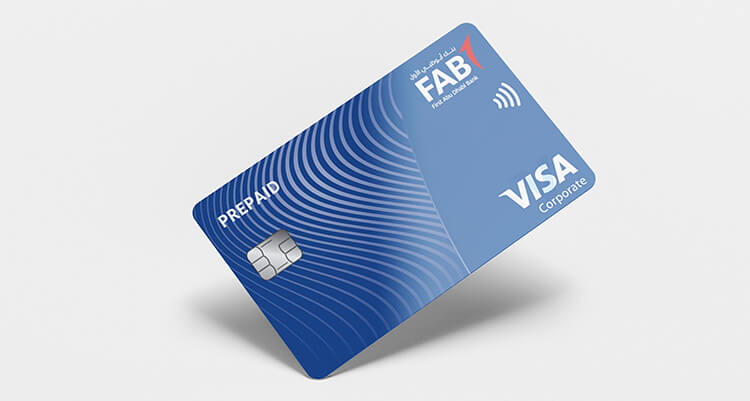
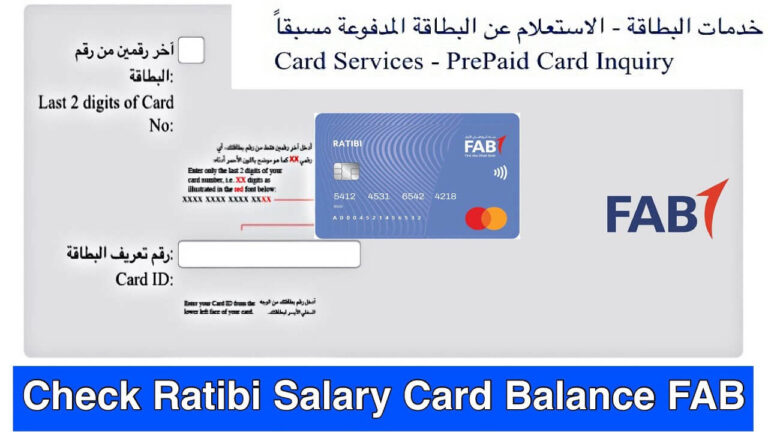
- FAB-issued Ratibi or prepaid card. Some employers pay through a Lulu-linked arrangement where the card itself is issued by First Abu Dhabi Bank. Searches such as “lulu fab salary card balance check online” refer to this. These cards are usually checked through the bank’s prepaid card enquiry portal.
How to tell which one you have: Look at the logo and the small print on the front and back. The issuer name, the helpline number and the website printed there tell you which method applies. Your pay slip or HR department can also confirm it.
How to check your Lulu salary card balance (all methods)
| Method | Best for | Needs smartphone? |
|---|---|---|
| LuLu Money app | LuLu Money Salary Card holders | Yes |
| Online balance portal | Quick check from any browser | Yes |
| ATM balance enquiry | No data or internet | No |
| SMS or helpline | Basic phone users | No |
| Lulu Exchange branch | Card problems or disputes | No |
1. LuLu Money app (fastest and most complete)
This is the best Lulu salary card balance check UAE online option, because it shows more than a number.
- Download the LuLu Money app from the App Store or Google Play. Use only the official app published by LuLu International Exchange.
- Register or log in with your registered mobile number and Emirates ID details.
- Open the cards section and select your salary card.
- Tap balance or balance inquiry to view your available balance.
- Scroll down to see salary credits, withdrawals and statements.
The same app lets you send money home, which is why many workers keep it installed.
2. Online balance portal
Many readers search for “lulu salary check online” or “lulu exchange salary check online login”. The process is usually:
- Open the official Lulu Money or Lulu Exchange balance-check page in your browser. Type the address yourself rather than tapping a link in a message.
- Enter your card number or card ID, as the page requests.
- Complete the captcha.
- Submit to see your balance.
For FAB-issued cards, use the issuing bank’s prepaid card enquiry page instead. FAB prepaid cards are commonly checked on the Magnati PPC portal.
3. Lulu ATM balance check
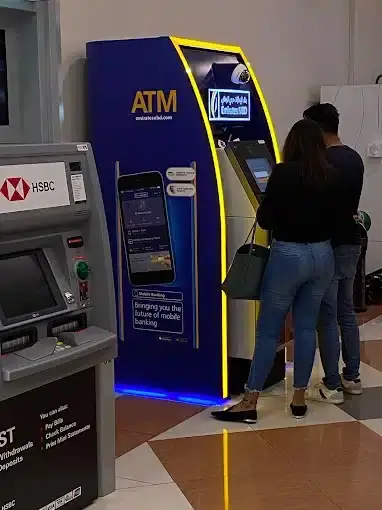
If you have no mobile data, a Lulu ATM balance check works at ATMs on the UAE Switch network.
- Insert your card.
- Enter your 4-digit PIN.
- Choose balance enquiry.
- Take the receipt if you want a printed record.
Some ATMs charge a small fee for balance enquiries on salary cards, and bank ATMs may charge more than exchange-house machines. Your card terms or issuer will confirm the current charge.
4. SMS and customer care
Some card types support SMS alerts or a helpline for balance information. Because codes and numbers change, always use the one printed on your card or shown inside the app. If a website or video gives you a number that doesn’t match your card, don’t use it.
5. Visit a branch
Take your Emirates ID and your card to a Lulu Exchange branch if you’ve forgotten your PIN, your card is blocked, or your balance doesn’t match what you expect. Staff can verify your identity and look into it.
Reading your balance correctly
- Available balance is what you can spend or withdraw right now.
- Card limits are daily or monthly caps. They may be lower than your balance.
- Pending transactions from card swipes can take a day to settle, so your balance may drop after a purchase.
- Statements in the LuLu Money app help you verify deductions and salary dates.
Salary not showing? Check these before you worry
- Confirm the payday. Your salary date is set in your contract and employer payroll cycle.
- Check your card status. An unactivated or blocked card can make the balance look wrong.
- Look at weekends and bank holidays. WPS transfers may land the next working day.
- Ask HR for the WPS transfer reference. This confirms the payment was submitted.
- Contact your issuer (Lulu Exchange for Lulu cards, or the bank for FAB cards).
- Escalate to MoHRE if salary is seriously delayed. The Ministry of Human Resources and Emiratisation operates the WPS and accepts labour complaints.
Protect your card and your money
- Never share your PIN, OTP or full card details, even with someone claiming to be from Lulu.
- Lulu staff will not ask for your PIN. A call or message asking for it is a scam.
- Use only the official LuLu Money app and typed website addresses.
- Turn on transaction alerts in the app.
- If you lose the card, block it in the app immediately, then request a replacement.
Tips to manage your salary card better
- Check your balance right after payday and again before large payments.
- Set a usage limit in the app if you’re sending money home regularly.
- Keep a record of your card number and issuer in a safe place, separate from the card.
- Save the correct helpline in your contacts so you aren’t searching under pressure.
Related Guide:
Informational Source: Lulu Balance Check
Lulu Exchange Official Website
https://www.lulumoney.com
FAQs
How do I do a Lulu balance check online?
Use the LuLu Money app or the official balance-check page. For FAB-issued cards, use the bank’s prepaid card enquiry portal.
Is the Lulu salary card balance check free?
App and portal checks are generally free. ATM balance enquiries may attract a small fee depending on the machine and your card terms.
Which ATMs can I use for a Lulu ATM balance check?
Salary cards on the UAE Switch network work at participating UAE ATMs. Fees and limits vary, so check your card terms.
What is the difference between Lulu salary card and MyPay MyCard?
Both are payroll cards used under the WPS. The LuLu Money Salary Card is app-first and tied to the LuLu Money app, while MyPay MyCard is a prepaid payroll card with its own enquiry channels. Check which one your employer issued.
Can I check my Lulu balance without the internet?
Yes. Use a UAE Switch ATM, call the helpline printed on your card, or visit a branch.
What is the Lulu salary check number?
It depends on your card type. Use the number printed on the back of your card or inside the app, and don’t rely on numbers shared on social media.
Why does my Lulu balance show zero?
The salary may not have been credited yet, the card may be inactive, or the funds may have been withdrawn. Check your statement, then contact your issuer.
Is the Lulu Hypermarket gift card balance the same?
No. Gift cards are checked through Lulu’s retail channels. This guide covers salary cards.
Can I send money home from my salary card?
Yes, in many cases. The LuLu Money app supports transfers, including from payroll cards where your employer’s setup allows it.
What if my card is lost or blocked?
Block it in the app or call the issuer, then request a replacement at a branch.
Conclusion
A Lulu balance check is quick once you know which card you hold. Identify the issuer first, then pick the method that suits you: the LuLu Money app for full control, the official portal for a fast look, an ATM when you’re offline, or a branch when something looks wrong. Keep your PIN private, stick to official channels, and contact your issuer or MoHRE if your salary is overdue. Bookmark this page and share it with a colleague who is still searching for the right number.