How to Access 192.168.l.70.1 in the UAE? (Correct Router Login Guide)
If you are trying to access your router using 192.168.l.70.1 and nothing loads, you are not alone. This is one of the most common router login issues faced by users in the UAE, especially those using du or Etisalat home internet connections.
The problem usually comes down to a simple typing mistake, but the confusion it creates can stop you from changing Wi-Fi passwords, checking connected devices, or securing your network.
This guide explains what 192.168.l.70.1 actually means, why it does not work, what the correct IP address is, and how to log in to your router successfully in the UAE. It also covers troubleshooting, default login details, security best practices, and FAQs—making it one of the most complete resources available.
What Is 192.168.l.70.1 and Why It Is Incorrect?
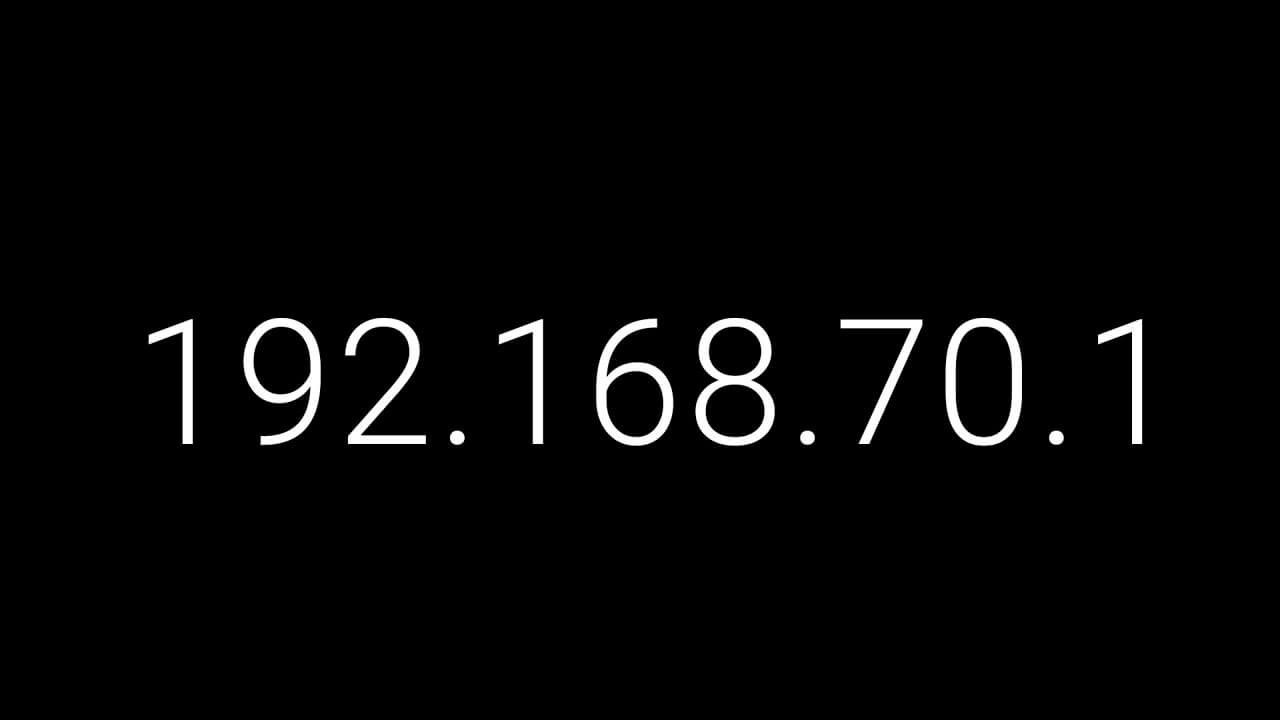
At first glance, 192.168.l.70.1 looks like a standard router IP address. However, it is not valid.
The issue is the use of the letter “l” instead of the number “1”.
Why this IP never works:
- IPv4 addresses contain only numbers and dots
- Letters are not allowed in IP address formats
- Browsers cannot resolve addresses with invalid characters
- This results in “Site can’t be reached” or similar errors
Common typing mistakes:
192.168.l.70.1instead of192.168.70.1- Entering the IP in Google search instead of the address bar
- Missing
http://in older routers - Using HTTPS without understanding certificate warnings
Key takeaway:
👉 192.168.l.70.1 is always a typo. It will never open a router admin page.
Recommended: Dubai Internet City
What Is the Correct Router IP Address in the UAE?
In most UAE households, routers use private IP addresses assigned by the manufacturer or ISP. These are accessible only within your local network.
Most common router IPs in the UAE:
- 192.168.70.1 (very common on du ZLT routers)
- 192.168.1.1
- 192.168.8.1
- 192.168.0.1
Among these, 192.168.70.1 is frequently confused with the mistyped 192.168.l.70.1.
How to Find Your Exact Default Gateway (All Devices)
If you are unsure which IP your router uses, the most reliable method is to check the Default Gateway on your device.
Windows
- Press
Win + R, typecmd, press Enter - Type
ipconfig - Look for the Default Gateway
macOS
- System Settings → Network
- Select active connection
- Click Details → Router
Android
- Wi-Fi settings → Connected network
- Advanced → Gateway
iPhone / iPad
- Settings → Wi-Fi
- Tap (i) next to your network
- Check Router
Linux
Run:
ip route
Use the displayed IP (e.g., 192.168.70.1) in your browser.
Recommended: Alef Login
How to Log In to 192.168.70.1 (Step-by-Step)
Once you have confirmed the correct IP, follow these steps:
- Connect your device to the router (Wi-Fi or Ethernet)
- Open a web browser (Chrome, Edge, Safari, Firefox)
- Type http://192.168.70.1 in the address bar
- Press Enter
- Enter the router’s login credentials
Important:
Always type the IP in the address bar, not the search bar.
Common Default Router Login Details in the UAE
Most du and Etisalat routers ship with default credentials printed on the device label.
Common combinations:
| Username | Password |
|---|---|
| admin | admin |
| admin | password |
| admin | 1234 |
| admin | (blank) |
| user | user |
| root | admin |
If these do not work, check the sticker on the router. ISPs often customize credentials.
Why 192.168.70.1 Still Might Not Open
If the correct IP does not load, the issue is usually environmental.
Common causes:
- Device not connected to the router network
- VPN or proxy blocking local IPs
- Incorrect gateway IP
- Browser cache conflicts
- Router firmware crash
Practical fixes:
- Disable VPN temporarily
- Restart the router and device
- Try a different browser
- Use a wired Ethernet connection
- Confirm the gateway IP again
How to Reset Your Router If You Forgot Login Details
If you changed the admin password and cannot remember it, a factory reset is required.
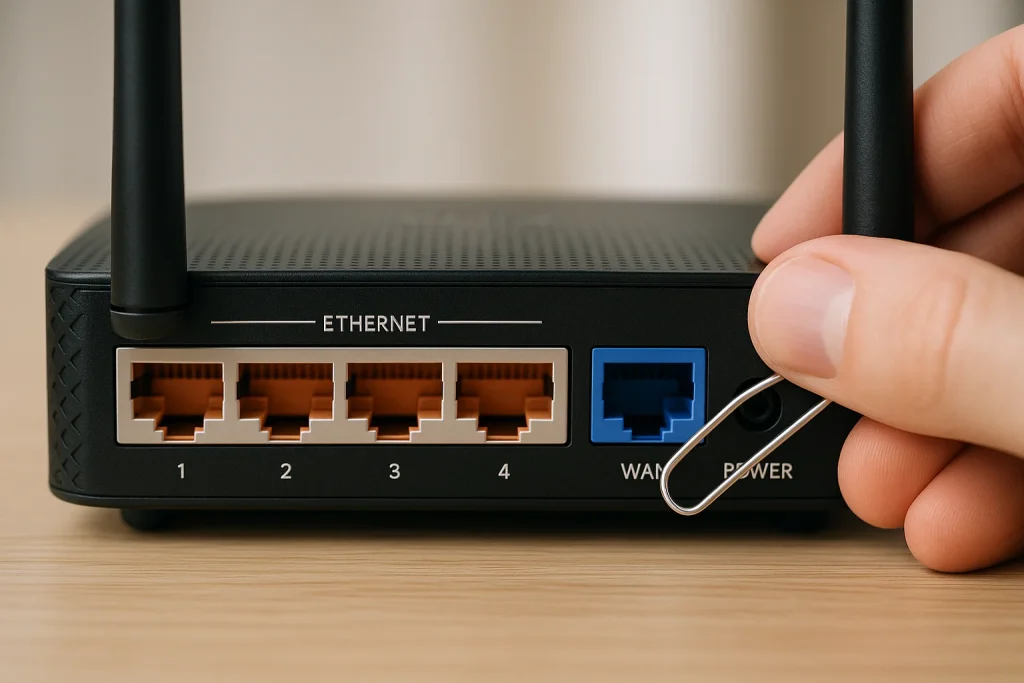
Reset steps:
- Keep the router powered on
- Find the reset hole at the back
- Press and hold for 10–15 seconds
- Release and wait for reboot
This restores:
- Default IP address
- Default username and password
- Default Wi-Fi name (SSID)
What to Do After Resetting Your Router
After reset, complete these steps immediately:
- Log in using default credentials
- Change Wi-Fi name and password
- Change the admin panel password
- Update router firmware
- Save a backup configuration file
Failing to do this leaves your network vulnerable.
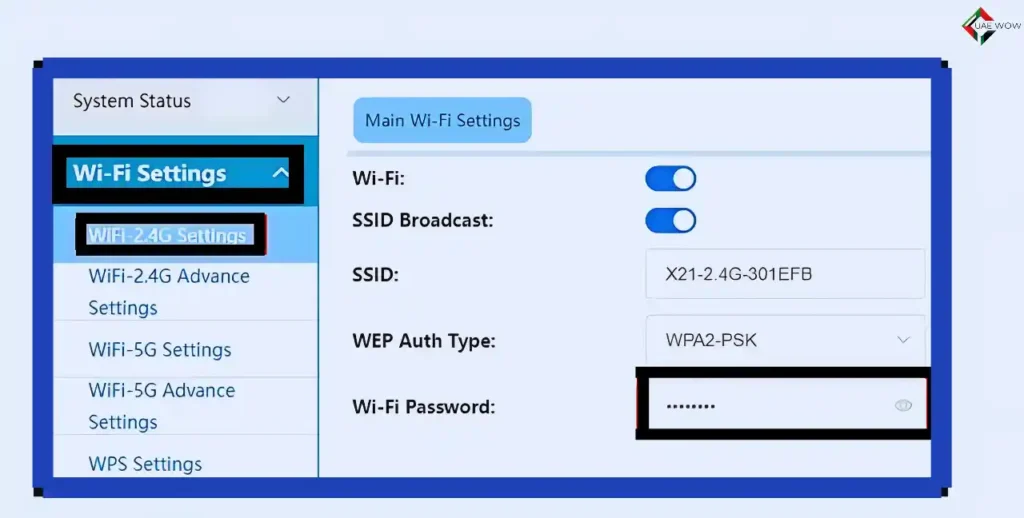
How to Change Wi-Fi Name and Password
- Log in to router dashboard
- Go to Wireless / Wi-Fi Settings
- Edit SSID (network name)
- Set a strong WPA2 or WPA3 password
- Save and reconnect devices
For dual-band routers, configure 2.4 GHz and 5 GHz separately if needed.
How to Secure Your Router (Best Practices)
To protect your network:
- Change default admin credentials
- Disable WPS if unused
- Enable WPA3 or WPA2-AES encryption
- Update firmware regularly
- Create a guest network
- Backup configuration settings
These steps significantly reduce security risks.
Key Benefits of Accessing the Correct Router IP
- Full control over Wi-Fi settings
- Improved internet security
- Better network performance
- Ability to manage connected devices
- Reduced downtime and errors
FAQs
What is 192.168.l.70.1 used for?
It is not used for anything. It is a typo. The correct IP is 192.168.70.1.
Can I access 192.168.70.1 from my phone?
Yes, if your phone is connected to the same Wi-Fi network.
Why does 192.168.l.70.1 not work?
Because IP addresses cannot contain letters.
Which IP do du routers use in the UAE?
Most commonly 192.168.70.1, but some use 192.168.8.1 or 192.168.1.1.
Is internet required to access 192.168.70.1?
No. Only a local connection to the router is required.
What if none of the IPs work?
Check the Default Gateway on your device or contact your ISP.
Conclusion
Trying to access 192.168.l.70.1 is a simple mistake that causes unnecessary frustration. The correct IP—most commonly 192.168.70.1 in the UAE—gives you full access to your router’s admin panel.
Once you use the correct address and follow proper login steps, managing your Wi-Fi, improving security, and resolving network issues becomes straightforward.
By understanding your router’s gateway, credentials, and security settings, you ensure a stable, secure, and well-managed internet connection at home or work.
This guide is designed to be the most complete and reliable resource for UAE users facing router login issues—now and in the future.

- How Al Maktoum International Airport Will Become the Biggest Airport in the World: Complete 2026 Guide - July 27, 2026
- Al Mahatta Park Sharjah Area Guide 2026: Location, History, Timings & Things to Do - July 20, 2026
- UAE to India Travel Rules 2026: Air Suvidha, e-Arrival Card, and Gold Limits Explained - July 15, 2026