
Etisalat Number Check (UAE): 5 Easy Ways to Find Your SIM Number Instantly (2026 Guide)
Forgot your Etisalat number? You’re not alone-and the good news is, finding it takes just seconds.
Whether you’re using a new prepaid SIM, managing multiple mobile numbers, or filling out KYC forms for banking, knowing how to do an Etisalat number check is essential in the UAE’s fast-moving digital ecosystem. From Dubai to Abu Dhabi, millions rely on Etisalat services daily, but many still search for how to check my Etisalat number, especially after switching devices or inserting a new SIM card.
In this updated 2026 guide, you’ll discover the fastest and most reliable methods to check your Etisalat mobile number, including USSD codes, the official mobile app, and customer support options. We’ll also clarify common confusion around codes like *101#, *248#, and other variations—so you can confidently retrieve your number anytime, even with zero balance.
Whether you’re asking:
- “how to know my Etisalat number”
- “how to check Etisalat SIM number in UAE”
- or even “как узнать свой номер Etisalat Dubai”
This guide covers it all—step-by-step, beginner-friendly, and optimized for real-world use.
Method 1: The Classic USSD Code
The fastest and most reliable way to check your Etisalat number is through a USSD (Unstructured Supplementary Service Data) code. This method works on both prepaid and postpaid connections:
- Open your phone’s dialer.
- Dial
*101#and press the call button. - Within moments, your Etisalat mobile number will be displayed on your screen.
💡 Pro tip: The *101# menu doesn’t just show your number—it also gives access to account services like balance checks, data packages, and special offers.
Related: Etisalat Data Offer
Method 2: Using the My Etisalat UAE App
For those who prefer a digital-first approach, the My Etisalat UAE app is a complete management hub. Beyond number identification, it lets you recharge, pay bills, and track your data usage.
Steps to check your number via the app:
- Download the My Etisalat UAE app from the [App Store] or [Google Play].
- Log in with your Etisalat account credentials (or register if you’re new).
- Your registered mobile number will appear clearly on the home dashboard.
This method is especially useful for users who manage multiple SIMs or business accounts.
Related: How to Take Loan in Etisalat
Method 3: Contacting Etisalat Customer Support
Sometimes, you may need more than just your number—perhaps account details, SIM ownership verification, or troubleshooting. In such cases, Etisalat’s customer care team is your best resource.
- Dial 101 from your Etisalat SIM.
- Follow the interactive voice response (IVR) instructions.
- Request your mobile number or speak directly with a support agent for assistance.
Etisalat’s customer service is available in multiple languages, reflecting the UAE’s multicultural population.
Related: How to Check Etisalat Balance
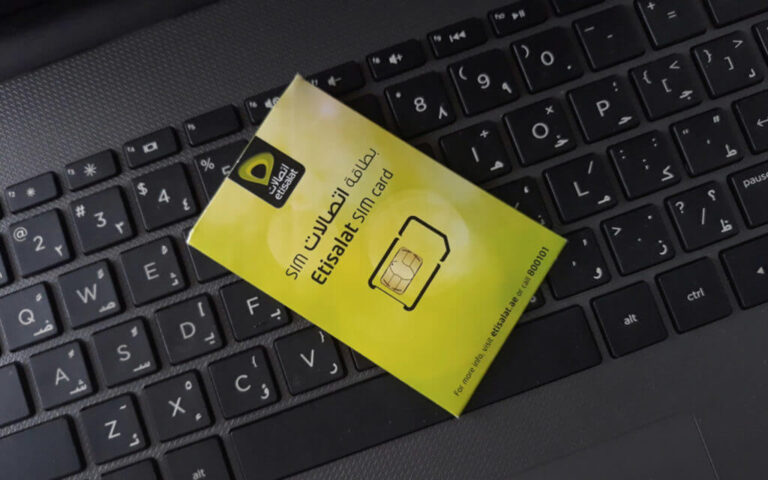
Method 4: Checking Your SIM Card Details
If you’re unable to access your phone or network, your physical SIM card can also reveal your Etisalat number.
- Power off your device and carefully remove the SIM card.
- Look for the number printed on the card—this is usually your mobile number or the ICCID (Integrated Circuit Card Identifier).
Note: In some cases, only the SIM serial number is printed. If so, you may still need to use the USSD or app method for confirmation.
Recommended: Etisalat Loan Code
Bonus: Can You Check an Etisalat Number Owner?
With spam calls and unknown numbers becoming more frequent, many users want to identify who owns an Etisalat number. Due to strict UAE privacy laws, Etisalat does not disclose subscriber details. However, you can try:
- Caller ID apps like Truecaller (results may vary in accuracy).
- Social media searches to see if the number is linked to public profiles.
⚠️ Caution: Always be careful when sharing personal information with unknown callers.
Why Knowing Your Etisalat Number Matters
From setting up FAB bank accounts to activating Careem rides, your Etisalat number is more than just digits—it’s an identity marker across services in the UAE. Forgetting it can delay simple tasks like Wi-Fi installation, government transactions, or even recharging your prepaid SIM at convenience stores.
At TheDubaiWeb.com, we help residents and visitors alike navigate everyday essentials—whether it’s learning how to check your Etisalat number, exploring Etisalat data plans, or understanding UAE’s digital infrastructure.
FAQs
1. How to check Etisalat number in UAE?
The easiest way is to dial *101# from your Etisalat SIM and follow the menu. Your number will appear on the screen instantly.
2. What is the Etisalat number check code?
The most commonly used Etisalat number check code is *101#. Some users also report *248#, but *101# is the most reliable in the UAE.
3. How can I check my Etisalat number without balance?
You can use *101# for free, even with zero balance, or check your number via the My Etisalat UAE app.
4. How to check my Etisalat number on my phone?
Simply dial the USSD code (*101#), or open your account in the Etisalat app where your registered number is displayed.
5. How to find Etisalat SIM number using the app?
Download the My Etisalat UAE app, log in, and your number will appear on the dashboard or profile section.
6. How to check Etisalat SIM owner name?
To check Etisalat SIM owner details, you typically need to contact customer care or visit an Etisalat service center with valid ID due to privacy regulations.
7. How do I know if my Etisalat number is active?
Dial *101# or call customer care (101). If the SIM is active, your number and account details will be accessible.
8. How to check Etisalat number in Russian (как узнать свой номер Etisalat Dubai)?
Наберите *101# на вашем телефоне Etisalat, и ваш номер появится на экране.
9. Can I check Etisalat number via SMS?
Currently, Etisalat UAE primarily supports USSD (*101#) and app-based methods rather than SMS for number checking.
10. What should I do if the Etisalat number check code is not working?
If *101# doesn’t work:
- Try the My Etisalat UAE app
- Restart your phone
- Contact Etisalat customer care at 101
11. How can I check my Etisalat number without balance?
You can dial *101# free of charge. It works even if you have no airtime balance.
12. Can I check my Etisalat number through SMS?
Currently, Etisalat does not provide a dedicated SMS code for number retrieval. The USSD and app methods are the most reliable.
13. Is there a way to know the owner of an Etisalat number?
No official method exists due to privacy laws. Caller ID apps and social media searches are alternatives, but accuracy is not guaranteed.
14. What if my Etisalat SIM is not active?
Inactive SIMs may not display numbers via USSD. In that case, use the SIM card details or contact Etisalat customer support.
15. Can tourists in Dubai check their Etisalat number the same way?
Yes. Prepaid tourist SIMs from Etisalat support the same USSD and app-based methods.
conclusion
Forgetting your number is common—but with the right methods, recovering it is effortless.
With simple options like dialing *101#, using the My Etisalat UAE app, or contacting customer care, your Etisalat number check can be completed in seconds—no technical skills required. Whether you’re a resident, tourist, freelancer, or business user in the UAE, knowing these quick solutions ensures smoother communication, faster registrations, and uninterrupted access to essential services.
As telecom services continue evolving in 2026, staying informed about simple tricks like checking your Etisalat SIM number can save time and avoid unnecessary frustration.
For more expert UAE telecom guides, digital tips, and lifestyle insights, stay connected with trusted resources that simplify everyday living.

- Umm Suqeim Dubai Area Guide 2026: Beaches, Villas, Schools and Local Life - August 6, 2026
- Emirates Golf Club Area Guide 2026: Courses, Fees, Location and What to Expect - July 14, 2026
- Al Maktoum International Airport: Your Ultimate Real Estate Investment Guide in Dubai South (2026-2032) - June 22, 2026