
How to Deactivate Du Daily Data Bundle (2026) – Stop Auto Charges Instantly
Struggling with unwanted charges on your du mobile balance? You’re not alone. Thousands of users across the United Arab Emirates accidentally activate daily data bundles-such as the popular du daily data packages at 2, 3, or 4 AED-only to see their credit drained by auto-renewals.
If you’re searching for how to deactivate du daily data bundle, stop auto-renewal, or unsubscribe from daily social data, this 2026 updated guide gives you the fastest, working solutions.
Whether it’s the du daily social data package, Botim bundle, or any prepaid internet offer, you’ll learn:
- The exact du unsubscribe codes (SMS & USSD)
- How to stop du daily data bundle instantly
- Ways to disable auto-renewal and avoid hidden charges
- How to fully deactivate du data bundles via app, SMS, or customer care
No guesswork-just quick, verified methods to cancel du daily data and regain control of your balance in seconds.
Why You Might Want to Cancel DU Daily Data Bundles
Daily data bundles are great when you need short bursts of internet access. However, automatic renewals and daily deductions can quickly eat away at your balance—especially if you’re not using the data regularly. Whether it’s the DU 2 AED, 3 AED, or 4 AED package, knowing how to stop DU daily data bundle is crucial for smart mobile management.
Common Reasons for Deactivation:
- Traveling abroad and switching to roaming plans
- Switching to weekly/monthly data bundles
- Accidentally subscribed to DU social data or Botim packages
- Cost control and budgeting
- Switching to Etisalat or another provider
Methods to Deactivate DU Daily Data in 2025
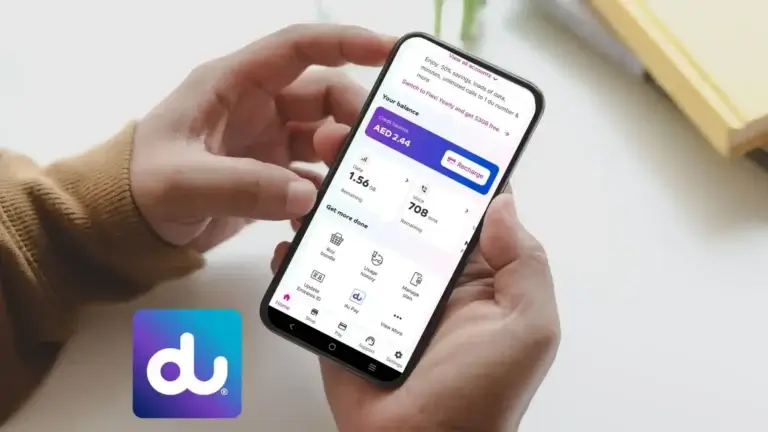
1. Via the My DU App (Quick and Easy)
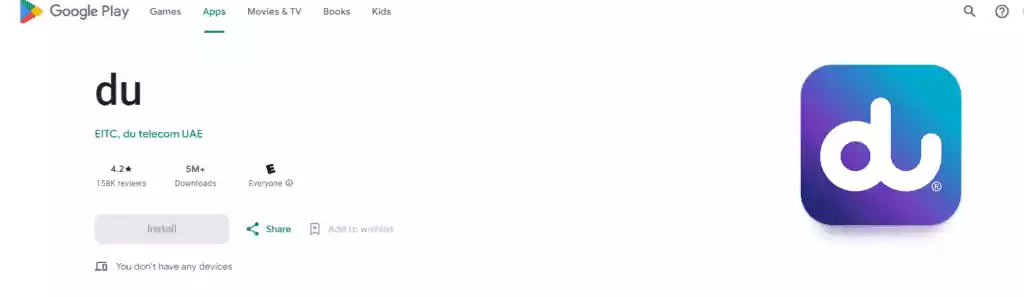
Using the My DU app is the most user-friendly method for unsubscribing from any DU data plan:
Steps:
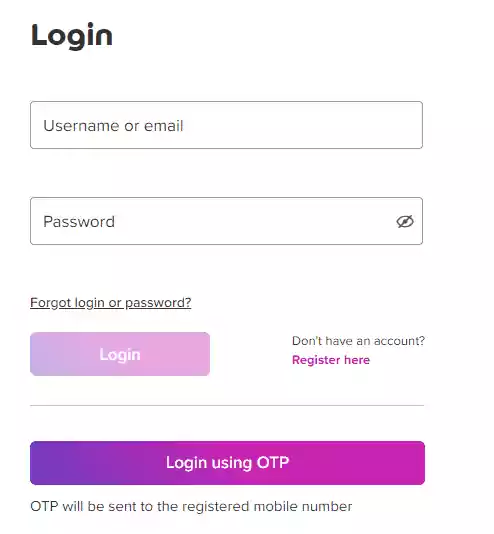
- Log in to the My DU app.
- Tap on “Subscriptions” from the dashboard.
- Locate the active daily data bundle.
- Tap on it and choose “Deactivate” or “Cancel Subscription”.
This method works perfectly for:
- How to unsubscribe DU daily data
- How to deactivate DU social data package 2 AED
- DU daily social data unsubscribe
Related: How to Check DU Number
2. Via SMS Commands (For On-the-Go Users)
If you prefer a fast, no-app solution, try these DU-approved SMS codes:
| SMS Code | Send To | Use For |
|---|---|---|
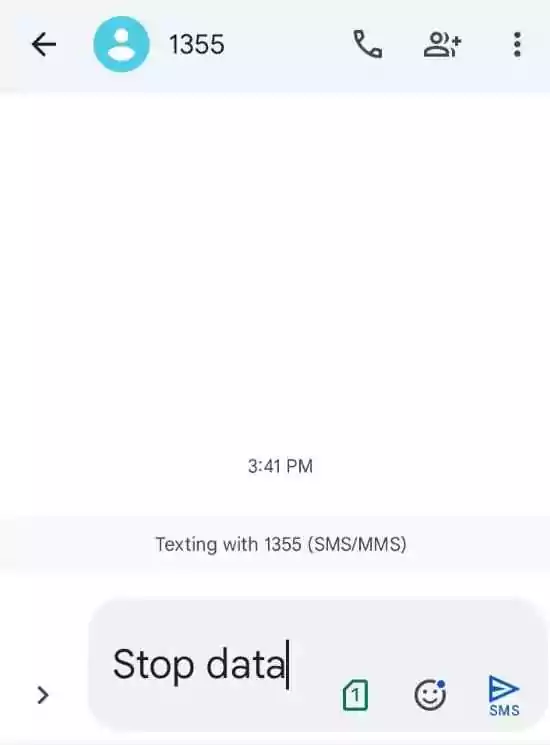
STOP DATA | 1355 | Generic deactivation (check confirmation) |
CDP2 | 1012 | Targets specific daily data bundles |
QUITDO | 5050 | Stops miscellaneous DU data offers |
Important: Always follow up with DU customer care to confirm deactivation, especially if you’re unsure which package was unsubscribed.
3. Via USSD Codes (No Internet Needed)
If you’re not a fan of apps or SMS, use these USSD codes to deactivate specific data packages:
- To deactivate DU daily data package 2 AED:
- Dial
*1356#and follow the on-screen prompts.
- Dial
- To cancel DU daily data 3 AED or 4 AED:
- Use the same
*1356#code. - Select the bundle (3 AED or 4 AED) you want to stop.
- Tap Deactivate.
- Use the same
This method is best for:
- How to deactivate DU daily data package 4 AED
- How to stop DU social data
- How to cancel DU daily data
4. Contact DU Customer Care (For Complex Issues)
If you don’t know what bundle is active or none of the above methods work, you can get in touch with DU directly:
- Phone: Call
00 971 4 390 5555(toll-free from DU numbers) - Live Chat: Visit DU official site
- Social Media: Reach out via Twitter or Facebook for help
Use this method when dealing with:
- How to stop renewal of data on DU
- How to deactivate DU sim online
- DU deactivate all subscriptions
What to Avoid When Cancelling DU Daily Data
- Avoid abrupt cancellation if you’re on a contract; check for any early termination fees.
- Don’t ignore SMS alerts from DU—they often notify you about expiring bundles or usage caps.
- Always double-check deactivation status via the app or by calling customer care.
Tips to Manage Data Wisely
- Monitor Usage: Use the DU app to check how much data you’re consuming.
- Understand Terms: Read the privacy policy and data bundle terms to know if hidden fees apply.
- Choose Smarter Plans: Instead of daily packages, consider switching to weekly or monthly bundles.
Need help switching plans or getting personalized advice? Our team can guide you through DU and Etisalat data management with ease.
Benefits of Stopping DU Daily Data Bundles
- Cost Control: Avoid automatic renewals and stop losing credit unnecessarily.
- More Flexibility: Choose when and how to use your mobile data.
- Improved Management: Focus on long-term packages with better value.
conclusion
Deactivating your du daily data bundle is simple once you know the right method. Whether you choose SMS, USSD (*135#), the du app, or customer support, you can quickly stop daily data bundle in du, cancel auto-renewal, and avoid unnecessary deductions.
From how to unsubscribe du daily data package 2 AED to stopping unlimited social bundles, this guide ensures you stay in full control. If you regularly face balance deductions, make it a habit to check active subscriptions and use the du unsubscribe code to deactivate unwanted services instantly.
FAQs
How can I deactivate DU daily data bundle?
You can deactivate DU daily data bundles in several ways:
- Via the My DU App by going to Subscriptions > Select Plan > Deactivate.
- By sending SMS commands like
STOP DATAto 1355. - Using the USSD code
*1356#and selecting the specific bundle to cancel. - Contacting DU customer service directly.
1. How to deactivate du daily data bundle quickly?
Send STOP DATA to 1355 or dial *135# and follow the menu to deactivate your active data bundle.
2. How to unsubscribe du daily data package 2 AED / 3 AED / 4 AED?
You can:
- Send STOP DATA via SMS
- Use *135# → Data Services → Cancel
- Or manage it in the du app
3. How to stop du daily data bundle auto renewal?
To stop auto-renewal, you must fully deactivate the bundle using SMS or USSD. Once canceled, it won’t renew automatically.
4. How to deactivate du daily social data package?
Dial *135# or send the relevant STOP command. This works for du daily social data package 4 AED and similar offers.
5. What is the du unsubscribe code for all services?
Dial *135# to manage all subscriptions or send STOP commands via SMS. This helps with du deactivate all subscription requests.
6. How to deactivate all services in du via SMS?
While there’s no single universal SMS for all services, sending STOP for each active service or using *135# is the most effective way.
7. How to cancel du daily data bundle permanently?
Once you deactivate it via SMS or USSD, the bundle is canceled and auto-renewal stops permanently unless reactivated.
8. How to stop data bundle in du if balance keeps deducting?
Check active subscriptions using *135# or the app, then deactivate all unwanted bundles immediately.
9. Can I deactivate du data bundle using the app?
Yes, the du app allows you to view and cancel all active data packages بسهولة.
10. How to unsubscribe du monthly data package?
Use the same methods: SMS STOP command, *135#, or the du app to cancel any monthly data plan.
11. What is the USSD code to stop DU daily data 2 AED, 3 AED, or 4 AED?
Use the code *1356# and follow the on-screen menu. Choose the correct bundle—2 AED (60 MB), 3 AED (100 MB), or 4 AED (150 MB)—and confirm deactivation.
12. How do I unsubscribe from DU social data plan (like Botim)?
To stop DU social or Botim packages:
- Text
STOP SOCIALorQUITDOto 5050. - Use the DU app and cancel the “social data” package under your subscriptions.
- Call DU support to confirm deactivation if the package is unclear.
13. Can I cancel DU daily data via the DU app?
Yes. The DU app is the easiest way to manage and deactivate any subscription. Log in, go to My Subscriptions, locate the active daily data plan, and tap “Deactivate.”
14. I sent an SMS to unsubscribe, but I’m still being charged. What should I do?
- Make sure you sent the correct keyword (e.g.,
STOP DATA,CDP2, orQUITDO). - Wait for a confirmation SMS.
- If charges continue, contact DU customer support or use the live chat on their website.
15. How to stop DU daily data auto-renewal?
By deactivating the daily data plan via:
- SMS: Send
STOP DATAto 1355. - App: Disable auto-renewal in the subscription settings.
- USSD: Use
*1356#and select the plan to stop.
16. Is there a charge for deactivating DU daily data?
No, DU does not charge for deactivating daily data bundles. However, be cautious about any early termination terms if you subscribed to a plan with contractual conditions.
17. Can I reactivate DU daily data later?
Yes, you can always reactivate the DU daily data package by:
- Dialing
*135#and selecting a daily data plan. - Using the DU app to re-subscribe.
- Visiting du.ae and logging into your account.
18. What happens to unused data after deactivation?
Once you deactivate your DU daily data plan, any remaining MBs will expire immediately unless otherwise stated. It’s best to use up your data before unsubscribing.
11. Can I deactivate all DU subscriptions at once?
Yes. Text STOPALL to 9000 to try stopping all active value-added services. Alternatively, contact DU support and request a full service audit and cancellation of all active plans.

- Umm Suqeim Dubai Area Guide 2026: Beaches, Villas, Schools and Local Life - August 6, 2026
- Emirates Golf Club Area Guide 2026: Courses, Fees, Location and What to Expect - July 14, 2026
- Al Maktoum International Airport: Your Ultimate Real Estate Investment Guide in Dubai South (2026-2032) - June 22, 2026